In the previous NLTK tutorial, you learned what frequency distribution is. Now, you will learn how what a corpus is and how to use it with NLTK.
from nltk.corpus import gutenberg as gt
So this corpus has different txt txt files which contain different texts. If you want to see all the texts that this corpus has, you can say
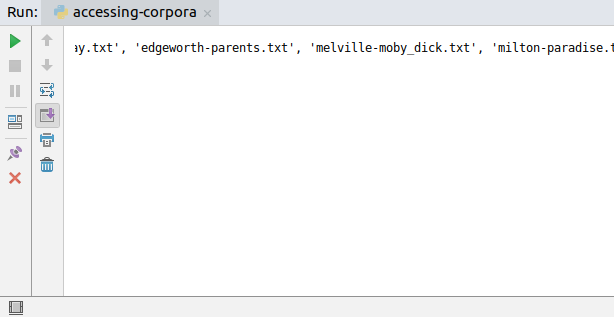
print(gt.fileids())
and it will return a list like in the image below.
So you can see that this corpus has texts like Hamlet, Macbeth and a novel of Milton.
Letâs say that you want to access the file shakespeare-macbeth.txt and see what words the text have. To do this, you can use the words method. So in your code type:
shakespeare_macbeth = gt.words("shakespeare-macbeth.txt")
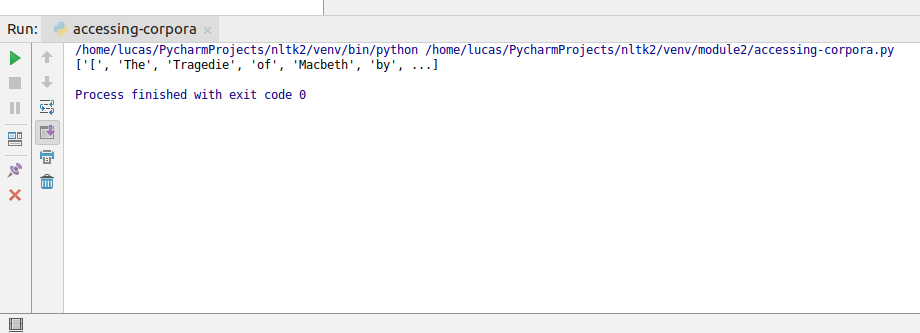
print(shakespeare_macbeth)
As you can see, the words method receives the file id as its parameter. So if you want to access Miltonâs novel, for example, you can type gt.words("milton-paradise.txt") .
If you run this code now, you will get a list of all the words of the text as your output like in the image below.
Another important function is the raw function. What it does is it returns the whole text without doing any linguistic processing. If you type
raw = gt.raw("shakespeare-macbeth.txt")
print(raw)
and execute your code, you can see that it returns you the raw text.
Letâs say that now you want to see the sentences your text has. You can use the sents function. So in your code type
sents = gt.sents("shakespeare-macbeth.txt")
print(sents)
and this will return you a list of all the sentences your text has.
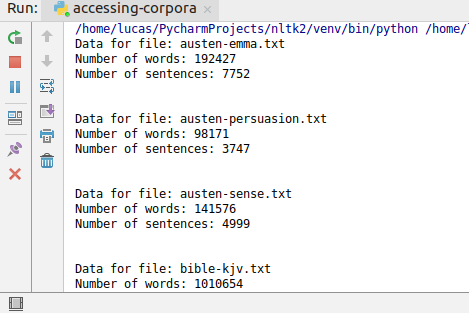
You can use those functions to do more elaborate things. If you want for example see the number of words and sentences in all of the texts present in your corpus, you can say:
for fileid in gt.fileids():
    num_words = len(gt.words(fileid))
    num_sents = len(gt.sents(fileid))
    print("Data for file:", fileid)
    print("Number of words:", num_words)
    print("Number of sentences:", num_sents, end="\n\n\n")
and it will give you an output like in the image below.
To do this, you need a corpus reader so create a new file named loading-your-own-corpus.py with the following lines.
from nltk.corpus import PlaintextCorpusReader
import os
The first import statement is for the PlainTextCorpusReader class, that will be your corpus reader, and the second is for the os module. The os module will give the PlainTextCorpusReader the path of the files you want to load.
To continue, download the play Taming of the Shrew in this link and place it in the same directory of your Python file.
After you download the play, create an object of PlainTextCorpusReader with the following lines:
corpus_root = os.getcwd() + "/"
file_ids = ".*.txt"
corpus = PlaintextCorpusReader(corpus_root, file_ids)
As you can see, PlainTextCorpusReader expects two inputs in its constructor. The first one is corpus_root and the second one is the file_ids . The corpus_root is the path of your files and the file_ids are the name of the files.
To get the path of your files, you can use the getcwd method of os module. Note that we add a / in the path. In the file_id , we use a RegEx expression to fetch all the files that you want. In our example, we want all files that have the .txt extension.
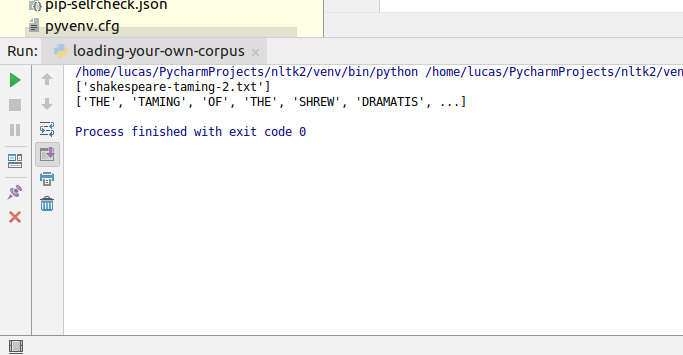
As this object returns you a corpus object, you can use the same functions you used in the previous section. So if you want to see the words in the text, for example, you can use:
print(corpus.words("shakespeare-taming-2.txt"))
This is all for this tutorial. If you have any question, feel free to leave it in the comments below.
https://www.udemy.com/natural-language-processing-python-nltk/?couponCode=NLTK-BLOGS