
This is the first part of the series that will introduce you to the NLTK module. In this tutorial, you will learn how to set up your NLTK and start with some of the functions in the module.
NLP moves hand in hand with machine learning. Machine learning is used in order to understand what a sentence is saying.
nltk
matplotlib
numpy
A message will appear in the top right corner asking you to install the missing libraries. Click on "Install requirements" and all libraries will be installed.
After this, create a file named "setting-up.py" with the following content:
import nltk

nltk.download()
Run this file and a new window will open. Select âallâ and click to download. If you are using the command line mode, select âdownloadâ pressing âdâ and Enter and then write âallâ.
The download may take some time depending on your internet connection. After the download is complete, you can move to the next section.
from nltk.book import *
If you run this, your code will output a list like in the image below.

These texts are the introductory texts associated with the nltk.book module. To load them in the memory, you can use the texts() function.
To access the texts individually, you can use text1Â to the first text, text2Â to the second and so on. So each text has several functions associated with them which we will talk about in the next section.
The first function we will discuss is the concordance function. This function receives a single word as its parameter and returns you all the occurrences of that word in your text.
To give you an example, create a file named "basic-functions.py" and copy the following code:
from nltk.book import *

print(text1.concordance("man"))
Your output will be similar to the picture.
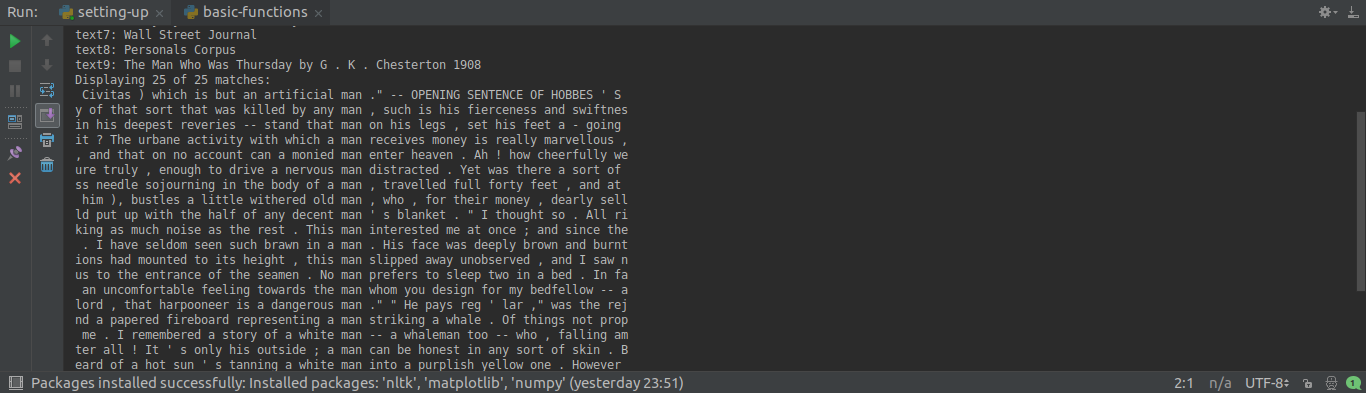
So as you can see in the example, the concordance function will return some words before the word "man" and some words after. This is useful when you need to know in which context the word is appearing.
The next function is the similar function. It receives a single word as its parameter and returns you all the words that appear in a similar context. If you replace the concordance with the similar function, you will get a list of words like in the image below:
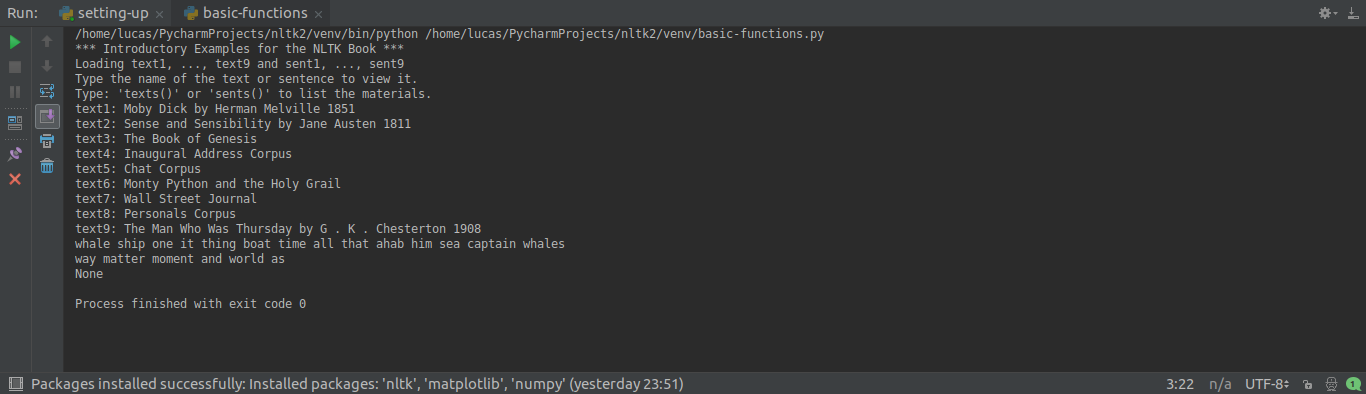
Donât worry if your output is different, this may vary depending on your environment.
The next function is dispersion_plot . To use this function write the following line in your code:
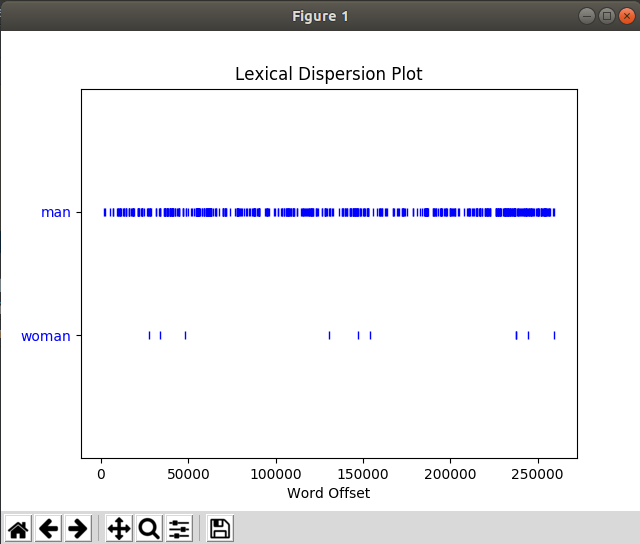
text1.dispersion_plot(["man", "woman"])
As you can see, the function receives a list as its parameter and returns you a graph with the words in the y-axis and the x-axis shows you in which part of the text the word occurs. In our example, the word âmanâ was used in almost all the text whereas âwomanâ was used around 5000, 15000 and 25000 words.
Note: You need to have Tkinter installed in order to use the dispersion_plot function.
The last function in this tutorial is the count function. This function expects a word as its parameter and returns you the occurrences of that word. So if you want for example see how many times the word âwhaleâ appear in your text, you can type:
print(text1.count("whale"))
These are the basic functions present in the Text class. If you have any question, leave in the comments below.
https://www.udemy.com/natural-language-processing-python-nltk/?couponCode=NLTK-BLOGS