After learning the basics of nltk and how to manipulate corpora, you will learn important concepts in NLP that you will use throughout the following tutorials.
Tokenization is the act of breaking up a sequence of strings into pieces called tokens. These tokens can be something like words or keywords. You will see more about this later in this tutorial.
Homonyms are two distinct words that have the same spelling. Homonyms can create a problem when dealing with language because it is difficult to process and distinguish them. Examples of these words are pike and pike.
Stop words are commonly used words that the search engine will filter out before the processing. Examples of these words are âtheâ, âaâ and âisâ.
Letâs start with the imports:
import nltk from nltk.corpus
import gutenberg as gt
Following with the function itself:
# input - list of words
# output - returns a list of unusual words
def unusual_words(text):
     text_vocab = set([w.lower() for w in text if w.isalpha()])
     english_vocab = set([w.lower() for w in nltk.corpus.words.words() ])
     unusual_list = text_vocab.difference(english_vocab)
     return sorted(unusual_list)
In the function, you can see that are three variables, text_vocab , english_vocab and unusual_list .
The first variable is a normalized version of the input list. If you remember from the past tutorials, if you try to search the word âtheâ in your text and it is not normalized, you may not receive a result even if the word appears in the text.
The english_vocab variable is a set containing all the usual words in English. As you can see, nltk module has a function that returns you a list of those words, nltk.corpus.words.words() .
The last variable, unusual_list , contains the difference between text_vocab and english_vocab , in other words, all the words in text_vocab that are not in english_vocab .
You can test your code by adding the following lines:
list_of_unusual_words = unusual_words(gt.words('austen-emma.txt'))
print(list_of_unusual_words)
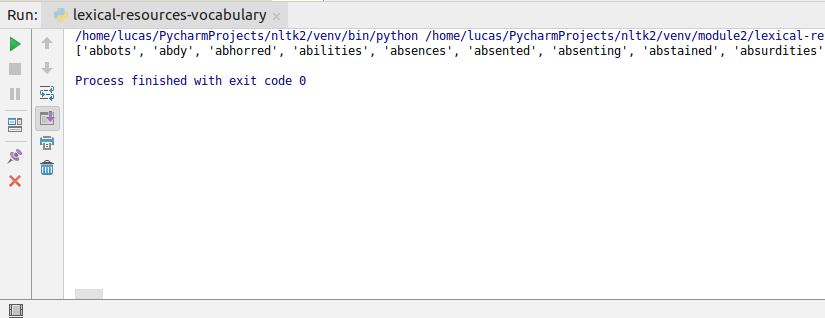
If you run the code, you will get a list of the unusual words present in the text.
In nltk module, you also have a corpus of stop words. If you want to see the stop words in English, for example, you can use the following code:
from nltk.corpus import stopwords
print(stopwords.words('english'))
Now that you are familiar with the concept of lexical resource, you can continue with what is the NLP pipeline.
So what you have to do here? First, you need to download the HTML, then you tokenize the text and finally, you normalize the words. This is what we call the NLP pipeline. As web scraping is not the focus of this tutorial, letâs start the NLP pipeline with the tokenization.
Note: You will be using the play that you downloaded from the previous tutorial, Taming of the Shrew, so if you have not downloaded it yet, you can download it from this link.
You will start the example creating a file named tokenization.py and add the following lines:
from nltk.tokenize import word_tokenize, sent_tokenize

def read_file(filename):
     with open(filename, 'r') as file:
         text = file.read()
     return text

text = read_file("shakespeare-taming-2.txt")
What you are doing with these lines is that you are importing the functions word_tokenize and sent_tokenize from nltk.tokenize module and you are creating a function to read your file and return it as a string.
Now, you can use the function with a single line of code:
words = word_tokenize(text)
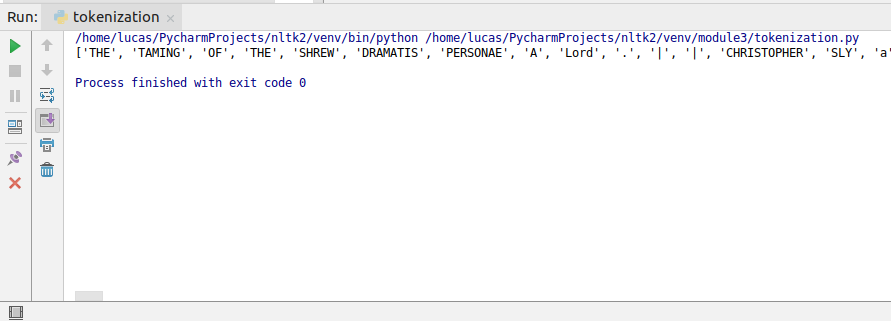
And this will tokenize divide your text into words. You can print the variable to see the results.
If you want all the words to be unique, you can use transform it into a set with:
words = set(words)
And you can see how many unique words the text has as well:
print(len(words))
Itâs a good habit to transform the list of words into a set because repeated words can create an overhead when you are analyzing your text.
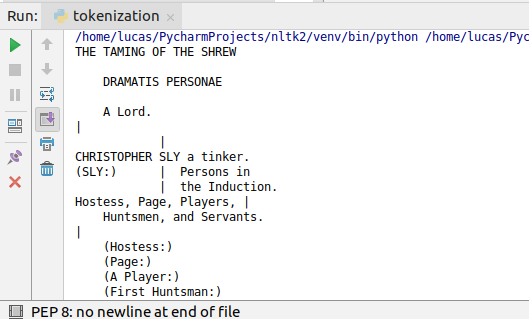
You can use the sent_tokenize in the same way as the word_tokenize function, but it will return you a list of sentences. Notice in the image below that you can use the strip() function to remove all the â\nâ, â\tâ and blank spaces from the sentences.
This is all for this tutorial and if you have any questions, feel free to leave a comment below.
https://www.udemy.com/natural-language-processing-python-nltk/?couponCode=NLTK-BLOGS